Sunday, 9 June 2013

Tutorial: How To Upgrade To Windows 8

Windows 8 is the latest operating system from Microsoft and you can easily upgrade your Windows 7 PC to Windows 8 Pro. Here we are conducting a full step by step walk through that helps you to upgrade your computer to the Microsoft's latest operating system.
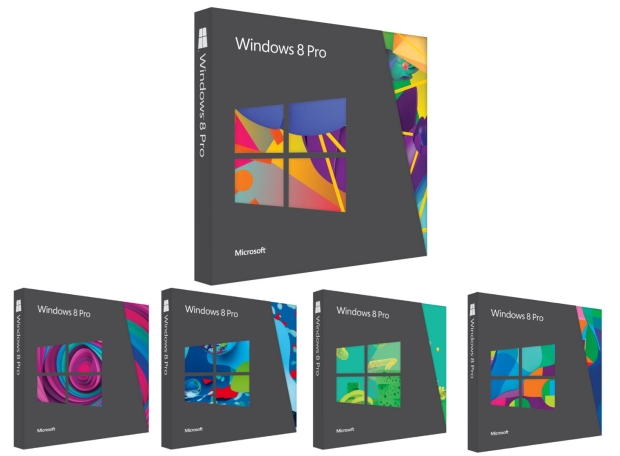
Here is how to Upgrade
  1. Firstly you have to find out your is upgradable to Windows 8. Check Windows 8 Minimum System Requirements and find whether your computer is meet the requirements pointed there. You can use the Windows Upgrade Assistant Tool will help to check the hardware compatibility.
  2. If your system is compatible, buy and download the windows 8 by entering payment info and following on-screen steps.
  3. After downloading the Windows 8 or Windows 8 Pro upgrade to your computer, Install the Windows 8 upgrade on your PC by following the rest of the steps.
  4. Finally Set Up the Windows 8 by following the on-screen steps which includes selecting colors, background and account picture.

After successfully completing these 4 steps windows will take you to the stylish new Windows 8 start screen.

More Info About Upgrading to Windows 8

  • If your computer is running Windows 7, Windows 8 Consumer Preview, or Windows 8 Release Preview, your files, apps and setting will automatically transfer to Windows 8. Reinstalling of apps is needed is you are using Windows XP, Windows Vista or else. 
  • It is possible to upgrade from a 32-bit version for Windows to a 64-bit of Windows 8.
  • You may need Windows 8 compatible touch screen with high level of response and precision, else some Windows 8 feature won't work

Saturday, 8 June 2013

Windows 8 Minimum System Requirements

Windows 8 Requirements | Windows 8 System Requirements | Windows 8 Hardware Requirements | Windows 8 Requirements For PC | Windows 8 Minimum Requirements For Desktops | 


Windows 8 System requirements are listed below

  • Processor : 1 gigahertz (GHz) or faster with support for PAE, NX, and SSE2
  • RAM : 1 gigabyte (GB) (32-bit) or 2 GB (64-bit)
  • Hard disk space: 16 GB (32-bit) or 20 GB (64-bit)
  • Graphics card: Microsoft DirectX 9 graphics device with WDDM driver 

Some Additional Requirements

  • You need multitouch  enabled monitor or tablet specifically designed to Windows 8 to use touch functionality. It requires higher degree of responsiveness and touchscreen support fewer than 5 touch points may not work with certain features.
  • To use some features from Windows 8 Microsoft account is needed
  • Internet access (ISP fees might apply)
  • To play and record live TV in windows Media Center a TV tuner is required
  • Windows 8 and Windows 8 Pro lacks DVD movie playback capability. You need to find a DVD player app from Windows Store for playback
  • Windows 8 Requires a minimum resolution of 1366 x 768 to snap apps
  • You should have a minimum screen resolution of 1024 x 768 and an Internet connection to access Windows Store
You can run Windows Upgrade Assistant software in-order to check your computer is compatible for Windows 8.

Sunday, 11 March 2012

Welcome To Howto-Windows8

Howto-windows8 is dedicated to bring you the latest tips and tutorials for making better experience with Microsoft's latest operating system Windows 8. By posting simple step-by-step procedures, hands on written tutorials, how-to guides, informative and easy written tutorials, we believe how-towindows8 can be exciting place to learn.

We are now just starting and you can expect computer tips, tweaks and easy understandable how-to tutorials about Windows 8. We provide the best content available online, and this is to be informative and relevant to you.
We need your support and valuable feedback's in order to improve the quality of our posts. If you have any suggestion or facing any trouble with our tutorials please take a few minutes to email us and tell us good and bad parts of our service.

Regards,
Howto-windows8.blogspot.com


© 2013 Windows 8 Turorials . All rights resevered. Designed by Templateism

Back To Top